For vibeworkers and vibe coders · Mac & Windows
The jet-pack for every vibeworker.
Seven native utilities that show what your machine is doing while you build, change only what you approve, and keep the way back. One key unlocks the suite.
$ measure first $ change safely $ always reversible
waiting
not yet
not yet
Sample numbers and behavior. Nothing on your machine is touched.
Sample cleanup ready.
One bar for the whole machine.
Install two or more apps and their menu bar or tray icons merge into one. Each app keeps its own tone, so you always know which one is speaking.
Sample readouts. Each app sells on its own; the price is set at checkout.
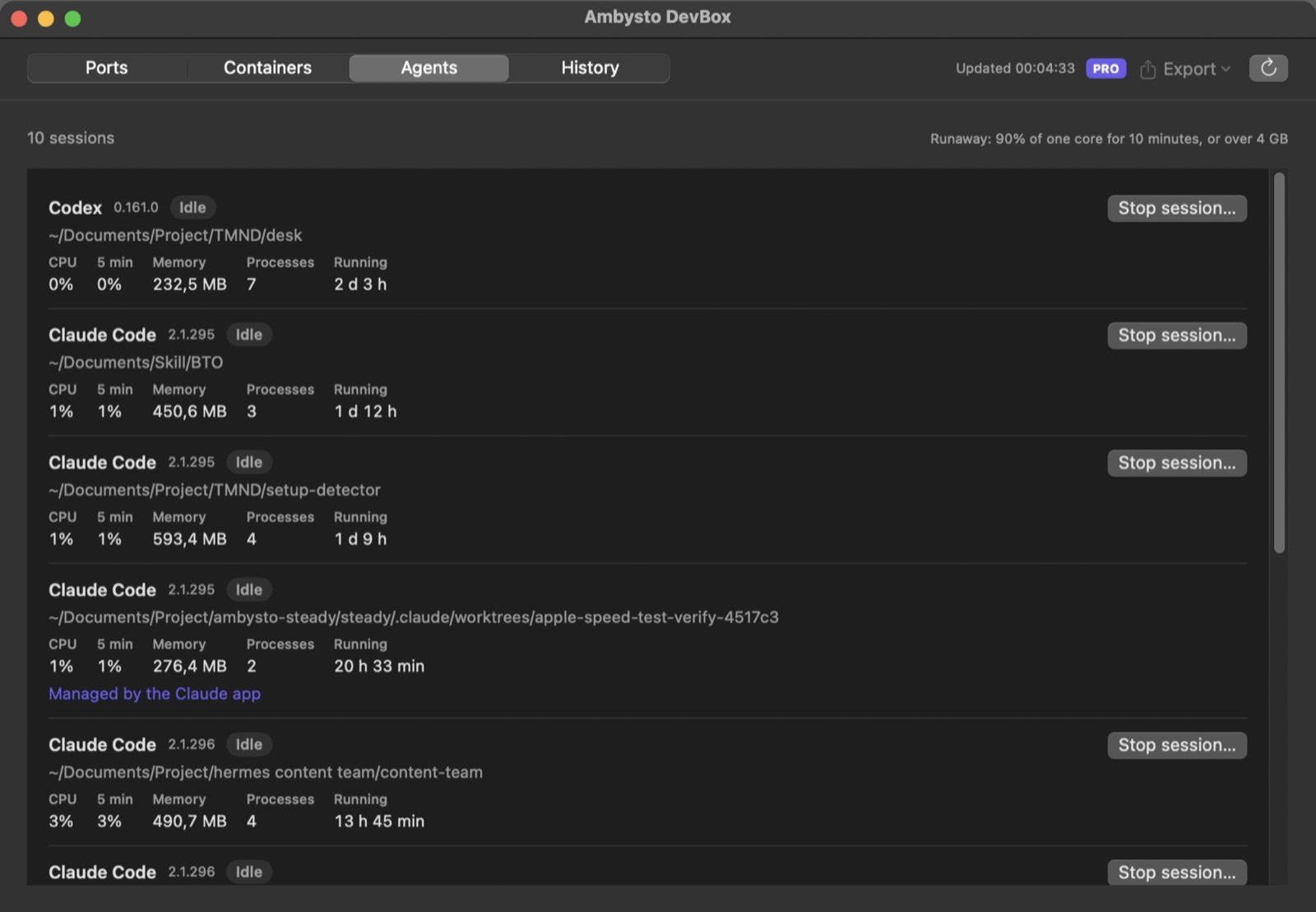
Ambysto DevBox
What this machine is running.
The port, the process, and the project it belongs to. The disk your containers keep. The coding agents that are busy. Stopping asks you first.
The dev server still on its port, the container holding the disk, the agent that never stopped.
- Every listener: port, process, project, and how far it is reachable.
- Containers, and the disk the runtime is holding.
- Agent sessions, with CPU and memory.
- A runaway session is flagged in the list.
- Stop, only after you confirm.
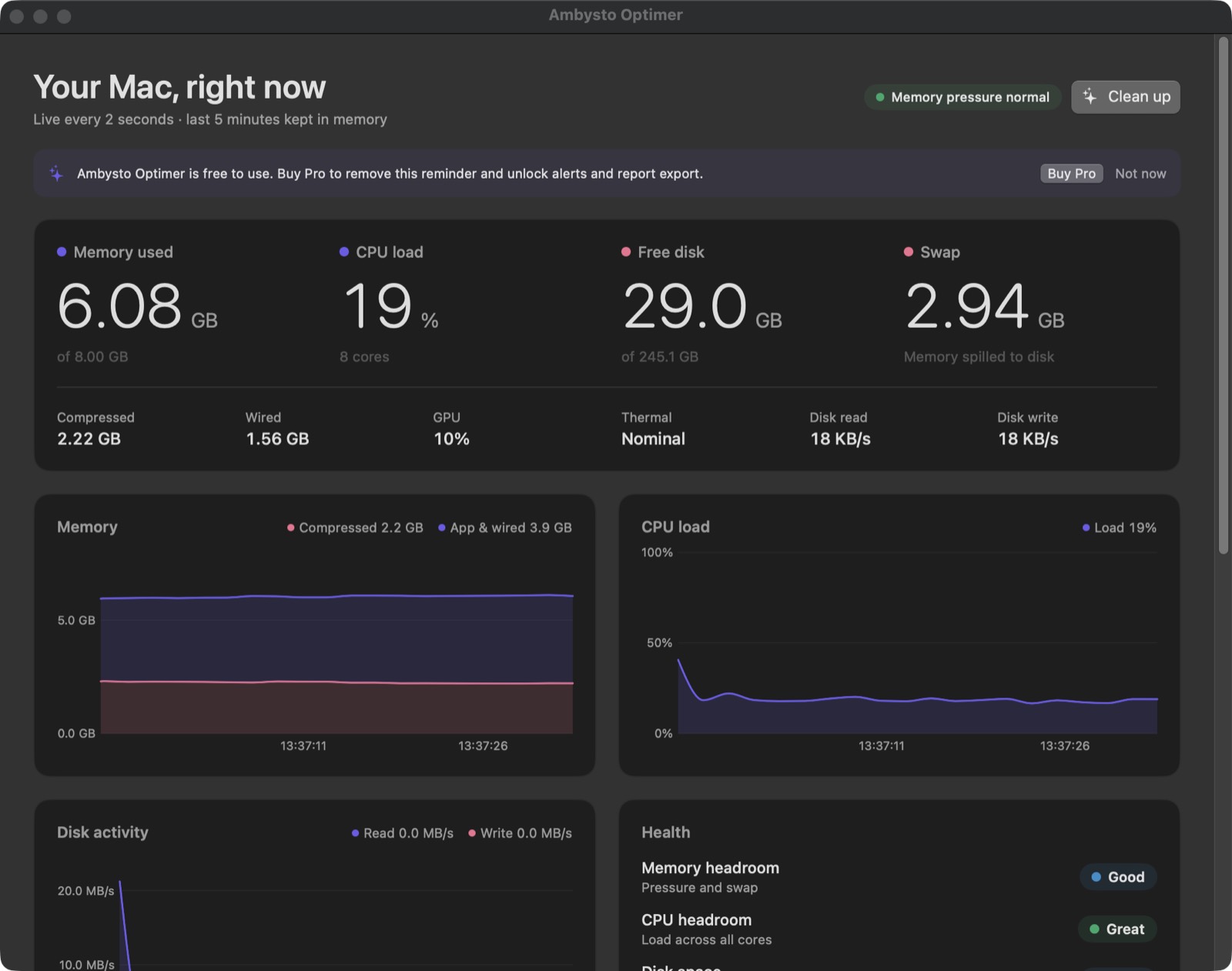
Ambysto Optimer
Which app. Which number.
One row per app for memory, CPU and disk. Pressure, swap and heat sit above them. Cleanup measures first, removes caches that grow back, and asks before anything personal.
When the build crawls, see which app is holding the memory.
- Live memory, CPU and disk, per app.
- A floating bar that stays on screen.
- Measure, then clean only caches that rebuild.
- Personal files stay unticked until you tick them.
- It never force-quits a process.
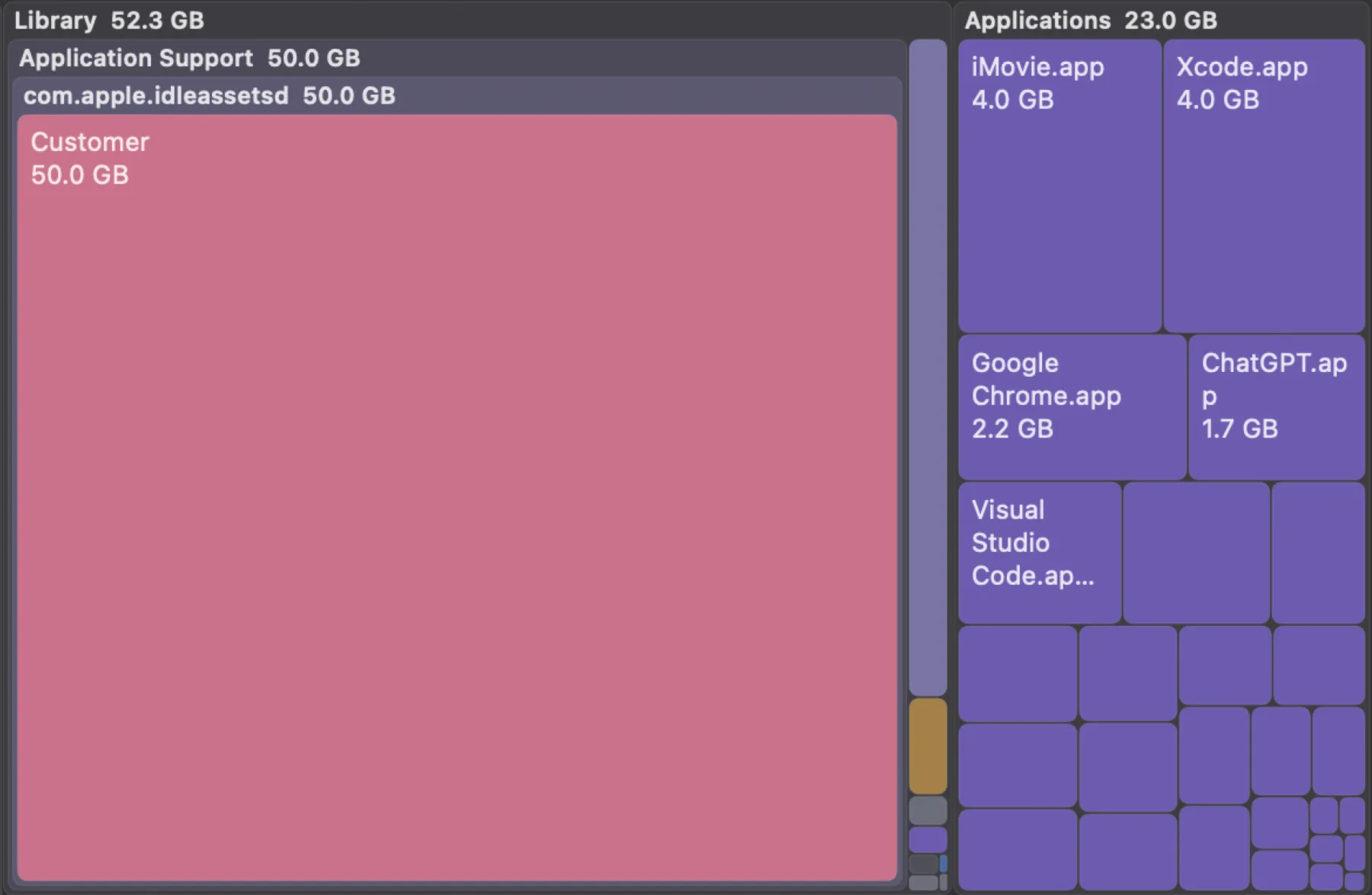
Ambysto Lean
Where the disk went.
The map, the large files, the old files, the byte-identical copies, and the leftovers of an app you removed. Only the rows you tick move to the Trash or the Recycle Bin.
Find the old builds, the copies and the leftovers that filled the disk.
- A map of the whole disk.
- Large files, old files, and exact duplicates.
- Uninstall an app, then the files it left behind.
- Every move is checked, then written down.
- Put it back from the journal.
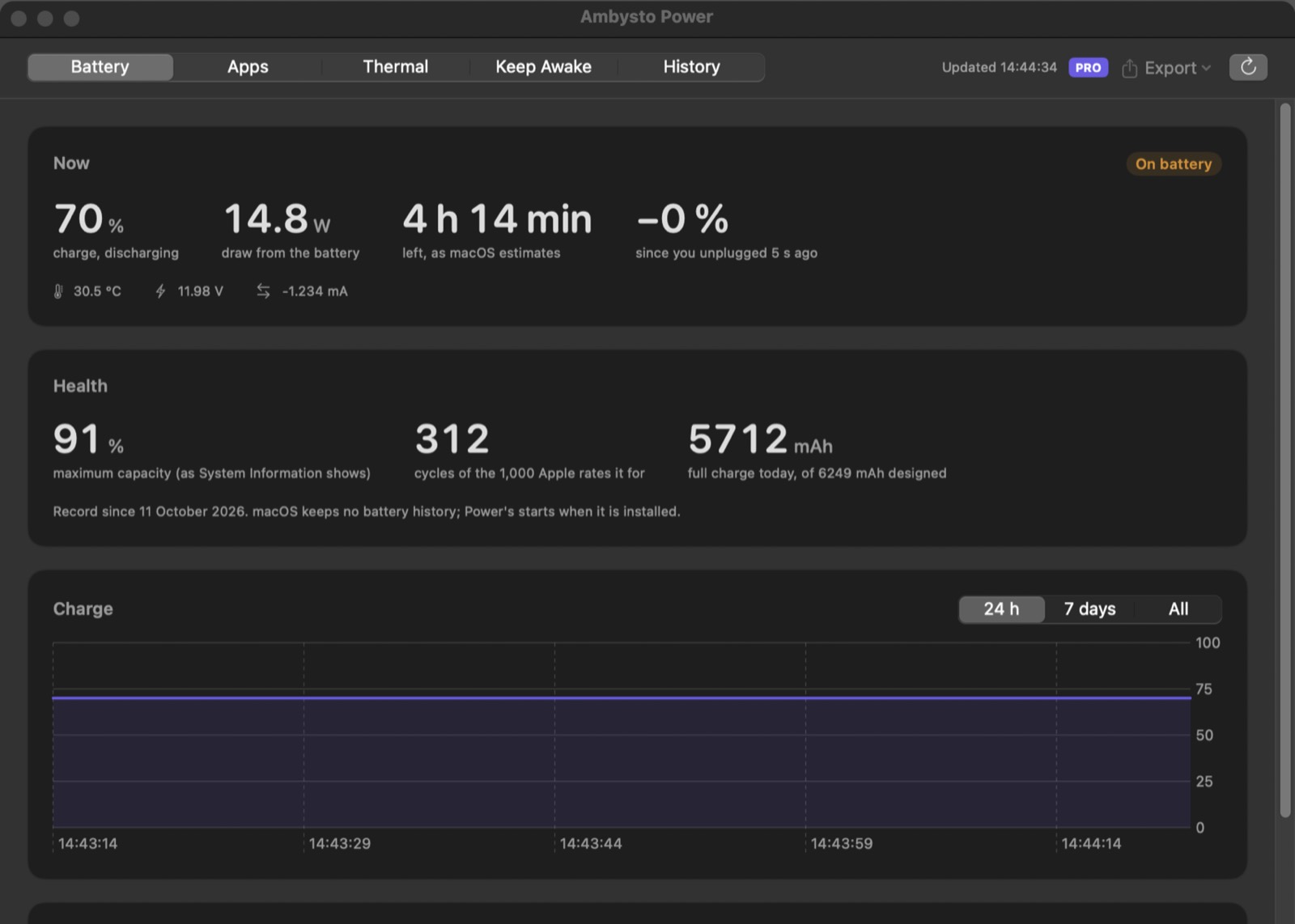
Ambysto Power
The battery, and what spends it.
Charge, draw, time left, health and cycles. Which apps use the power. How hot the machine is. Who is keeping it awake. It measures. It does not force a mode.
Keep the machine awake through a long build, and stop it when you choose.
- Charge, watts, time remaining, health and cycle count.
- Power by app.
- Thermal state, on the same machine.
- The list of what is keeping the machine awake.
- Keep-awake you start yourself, with the screen on, and a way to stop it.
Ambysto Tune
A switch. And the way back.
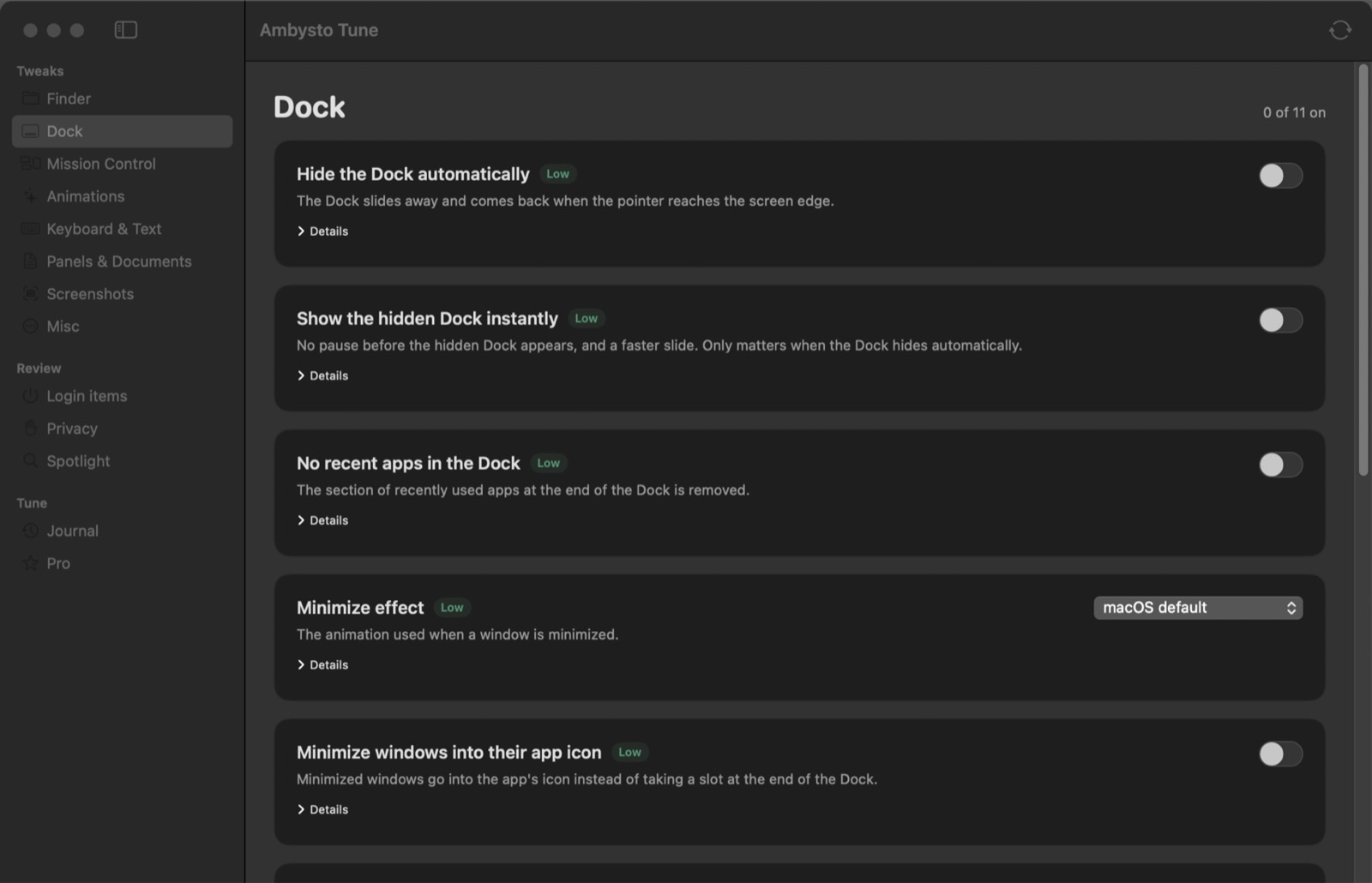
The file browser, the Dock or taskbar, keyboard, startup items, privacy and search. Each switch stores the value it replaced. One click puts that value back. Restore all puts the machine back.
Set up a new machine the way you work, and keep the way back.
- Every tweak is a switch, with the effect written under it.
- The previous value is saved before anything changes.
- Restore one tweak, or every tweak.
- Startup items and background items, in the same window.
- A journal of what changed on this machine.
Ambysto Steady
The connection, in three steps.
Steady watches the connection and explains what it sees. Numbers, not promises.
When a push, a pull or an install stalls, see whether the connection is the reason.
- MonitorWatches the connection while you work.
- DiagnoseTells you what is wrong with it.
- RecoverBrings the connection back.
Ambysto Gate
Which app. Which address.
Per-app network control. You see the app and where it is going. You allow it or you block it, for that app, and you can undo it.
See which tool on your machine connects where.
- SeeEvery app that uses the network, and where it connects.
- DecideAllow or block, one app at a time. Nothing is blocked until you say so.
- UndoEvery choice is reversible, and the app keeps the way back.
What we won’t do.
The suite is defined as much by what it refuses as by what it does.
- Phone homeYour key is checked on your machine, offline. There is no telemetry.
- Run as rootNot unless it is unavoidable, and then the app says so and asks first.
- Scan for malwareThat is not what we do. Nor do we update your drivers or your apps.
- Act before measuringEvery app shows you the numbers before it changes anything.
- Make a change you cannot undoChanges are reversible, and the app keeps the way back.
- Sell a “boost”No “Free RAM” button, no health score, no force-quit.
- Rush youNo countdown, no fake discount, no subscription that renews by itself.
- Sell you an adA suggestion appears only when it solves something the app just measured. It is never an ad.
One key. Seven apps.
One license key unlocks Pro in every app it lists. Each app also sells on its own. On Mac and on Windows.
Ambysto Pro Suite
- Ambysto DevBoxincluded
- Ambysto Optimerincluded
- Ambysto Leanincluded
- Ambysto Powerincluded
- Ambysto Tuneincluded
- Ambysto Steadyincluded
- Ambysto Gateincluded
- Totalprice set at checkout
- FreeThe job of every app, for good: the measuring, the cleanup, the Trash or Recycle Bin, the stop, the tweak, and the restore.
- ProConveniences on top: a longer history, export, alerts, presets. One key, paid once, checked on your machine.
Safety is never behind the key. A free app still changes only what you approve, and still restores.
Questions.
Does it need the internet to work?
No. Your license is a signed key file that is checked on your machine.
Does it need admin rights?
Not unless it is unavoidable. If an action needs them, the app says so and asks first.
Can I undo a change?
Yes. Each app measures first and keeps the way back.
Can I buy just one app?
Yes. Each app sells on its own. The suite is one key for all seven.
Does Pro lock the cleanup, the delete, or the restore?
No. Free keeps the job. Pro adds a longer history, export, alerts, and presets.
Is there a Windows version?
Yes. Every app is native on Mac and on Windows, built from the same written spec.